Product Tour
A quick look at what you will be working with before you install.
The board view
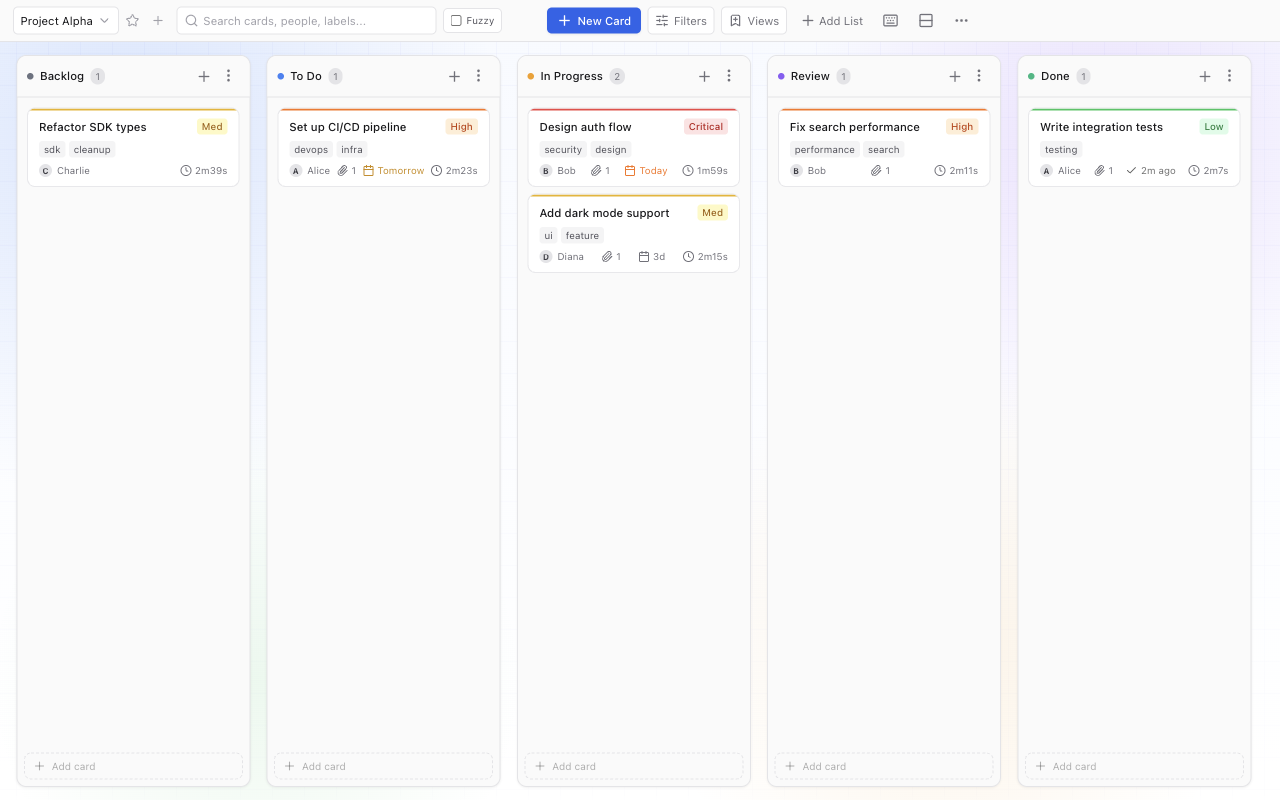
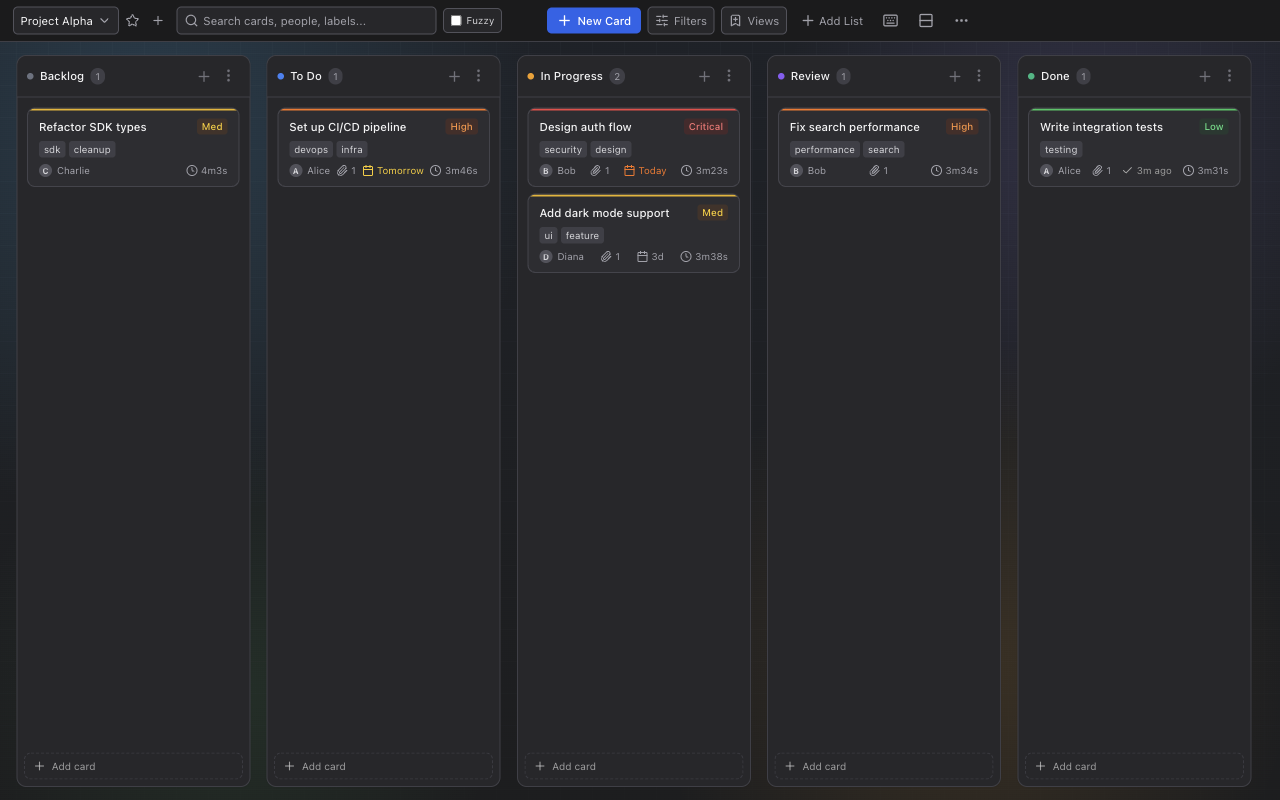
The default board shows five status columns: Backlog, To Do, In Progress, Review, Done. Column count and names are fully configurable per board.
- Drag cards between columns
- Sort within columns by priority, due date, or creation date
- Minimize or hide columns from the column menu
- Switch between horizontal and vertical layouts
- Custom background themes, zoom controls (75–150%)
Card editor
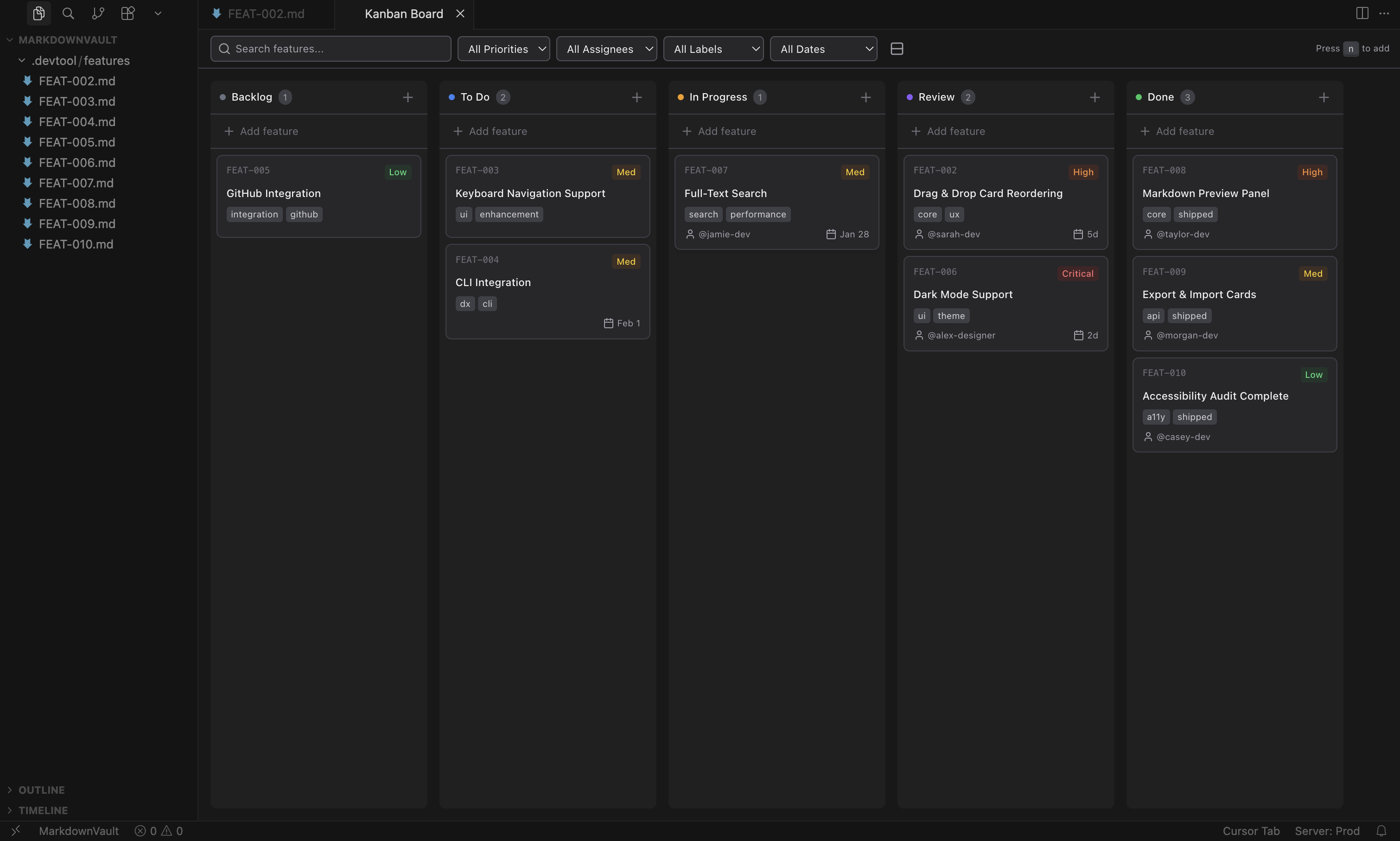
Each card opens a split-view editor or a right-side drawer. Edit the markdown body inline while the metadata panel stays visible.
- Priority, assignee, due date, labels
- Comments and timestamped logs
- File attachments
- Named actions (trigger webhooks, CI, deploys)
- Structured forms with per-card saved data
Card detail view
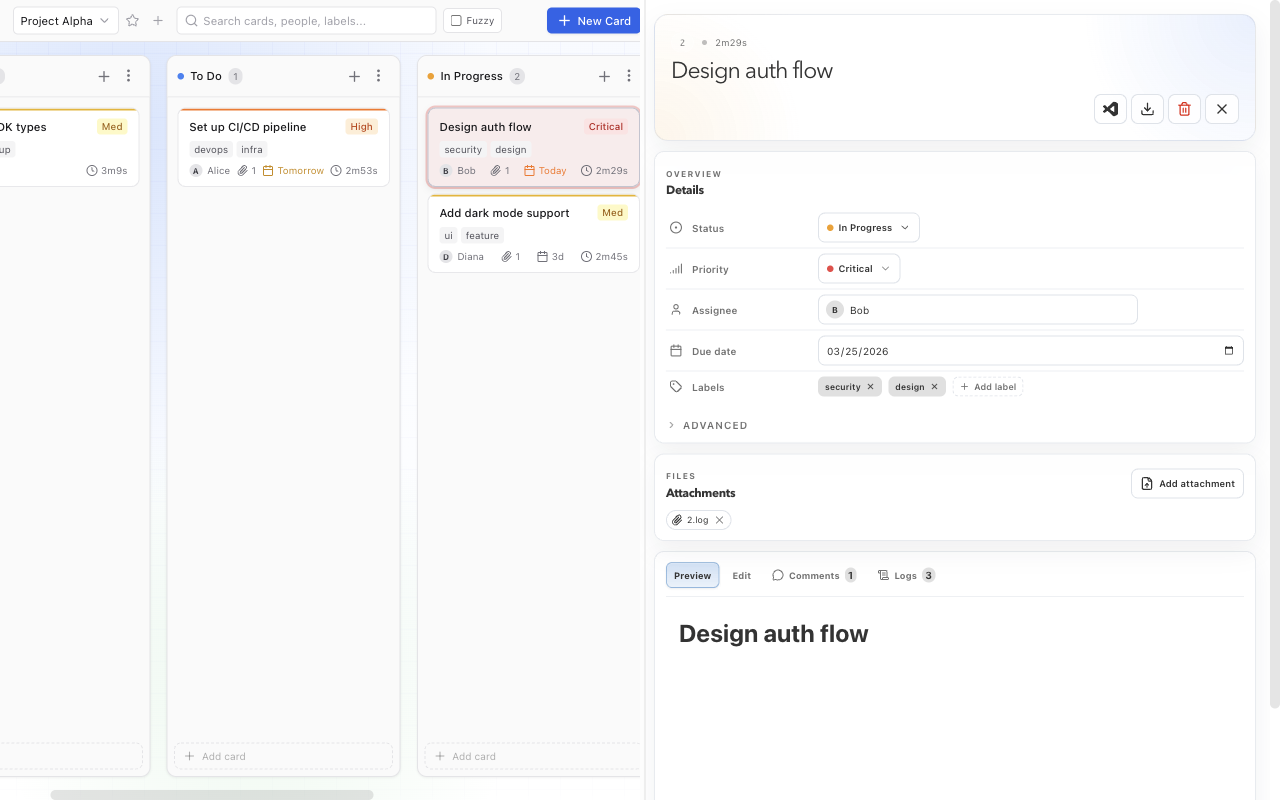
Click any card to open its detail panel. The right-side drawer shows every field at a glance while the board stays visible behind it.
- Status, priority, assignee, due date, and labels
- File attachments with drag-and-drop upload
- Tabbed body view: Preview, Edit, Comments, Logs
- Advanced metadata section for custom key-value pairs
Search & filtering
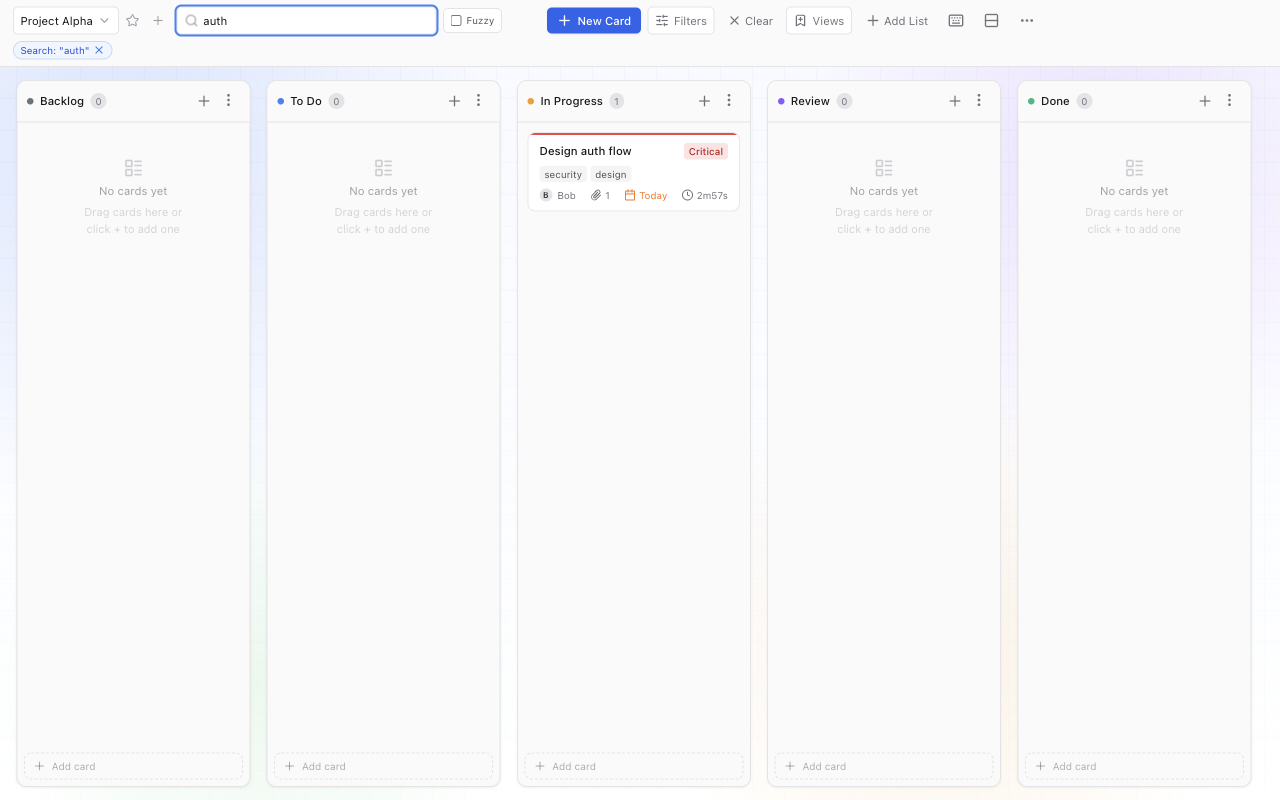
The toolbar search works in exact and fuzzy mode. Type a query, or use structured tokens to narrow by metadata field:
meta.team: backendFilters appear as removable chips. Click a label or a metadata value in the card panel to inject the filter automatically.
Storage is just markdown
Every card is a plain .md file. YAML frontmatter stores metadata; the body is free-form markdown. No hidden database, no binary blob, no migration required to get started.
---
title: Ship dark mode
status: in-progress
priority: high
assignee: alice
labels: [frontend, ux]
dueDate: "2026-04-01"
---

## Context
Users have been requesting this for two sprints.

## Acceptance criteria
- [ ] Follows system preference by default
- [ ] Manual toggle in settings
Swap to SQLite or MySQL with a single config line when you need concurrent write performance. Storage plugin docs →
Settings panel
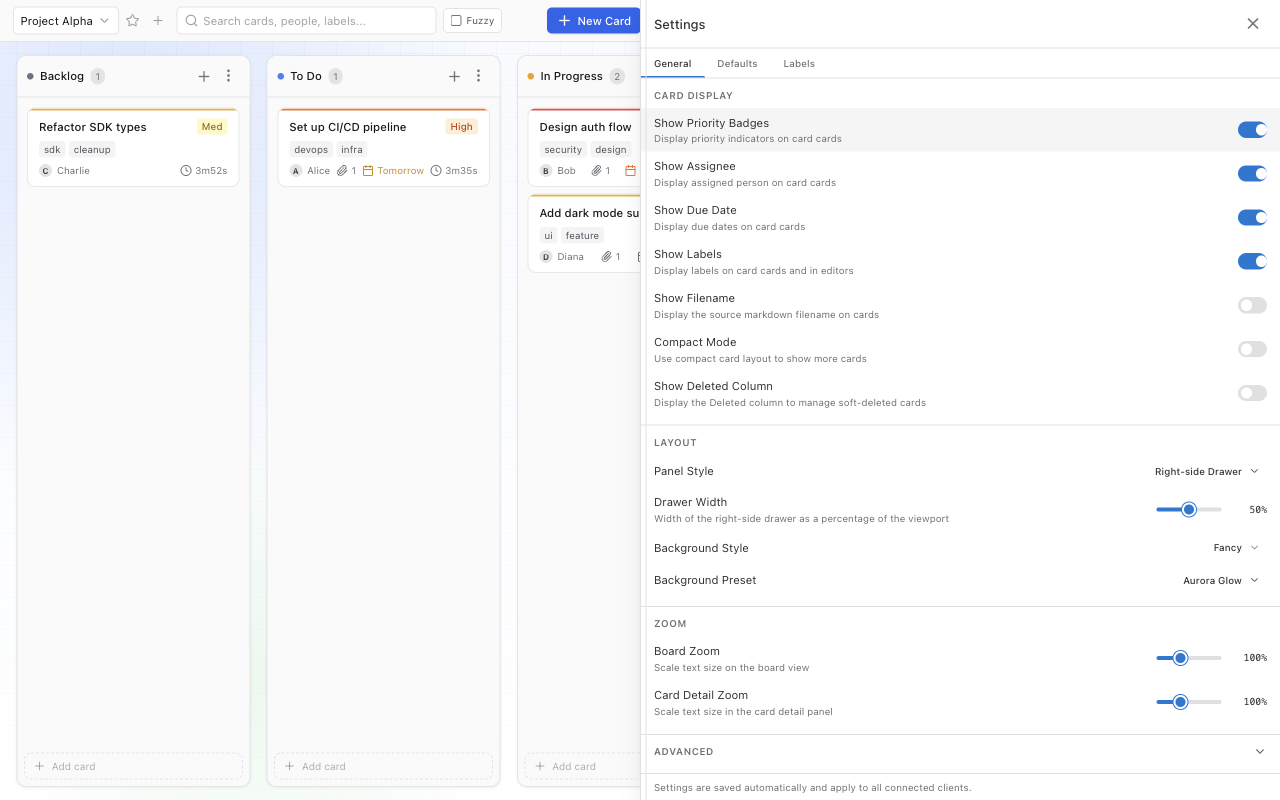
Open the settings panel to customise the board to your workflow. Changes are saved automatically and apply to all connected clients.
- Toggle card badges: priority, assignee, due date, labels, filename
- Layout: right-side drawer or split editor, drawer width slider
- Background style and preset themes
- Board and card-detail zoom (75–150%)
- Compact mode for high-density boards
Dark mode
Kanban Lite ships with a full dark theme. Toggle it from the toolbar or let it follow your system preference automatically.
All four interfaces
Every interface ships in the same package. No add-ons, no separate installs.
Web UI
React board, WebSocket sync, drag-and-drop. kl serve
CLI
Every board operation available from the terminal. kl --help
REST API
OpenAPI JSON API with interactive Swagger UI at /api/docs.
MCP
Full board operations for AI agents. kl mcp